


🚀 Phát hành Gato GraphQL v1.2 (với Persisted Queries mới)

Phiên bản 1.2 của Gato GraphQL đã được phát hành! 🎉
Dưới đây là mô tả về tất cả các thay đổi.
Thêm một số Persisted Queries được định sẵn
Các Persisted Queries sau đây, để thực hiện các tác vụ quản trị phổ biến, hiện đã có sẵn:
Dịch nội dung từ URL
Cho một URL đầu vào, ngôn ngữ của nó và ngôn ngữ cần dịch sang, query này lấy nội dung từ URL và thực hiện dịch thuật bằng Google Translate:
query TranslateContent(
$url: URL!
$fromLang: String!
$toLang: String!
) {
_sendHTTPRequest(input: {
url: $url,
method: GET
}) {
body
translated: body @strTranslate(
from: $fromLang
to: $toLang
)
}
}Ví dụ, truyền vào URL của một tệp Markdown trong kho GitHub và mã ngôn ngữ "es":
{
"url": "https://raw.githubusercontent.com/GatoGraphQL/GatoGraphQL/c870d8906ae1aec3c81acc039c53acc7aab5dff0/layers/GatoGraphQLForWP/plugins/gatographql/docs/modules/single-endpoint/en.md",
"fromLang": "en",
"toLang": "es"
}...sẽ dịch nội dung Markdown sang tiếng Tây Ban Nha:
{
"data": {
"_sendHTTPRequest": {
"body": "# Single Endpoint\n\nExecute queries against the GraphQL server through the public single endpoint.\n\nBy default the endpoint is `/graphql/`, and the path can be configured through the Settings.\n\n\n\nThe GraphQL single endpoint can be configured by assigning a Schema Configuration to it. To do this, on section \"Schema Configuration\" select the desired entry from the dropdown for \"Schema Configuration for the Single Endpoint\":\n\n<div class=\"img-width-1024\" markdown="1">\n\n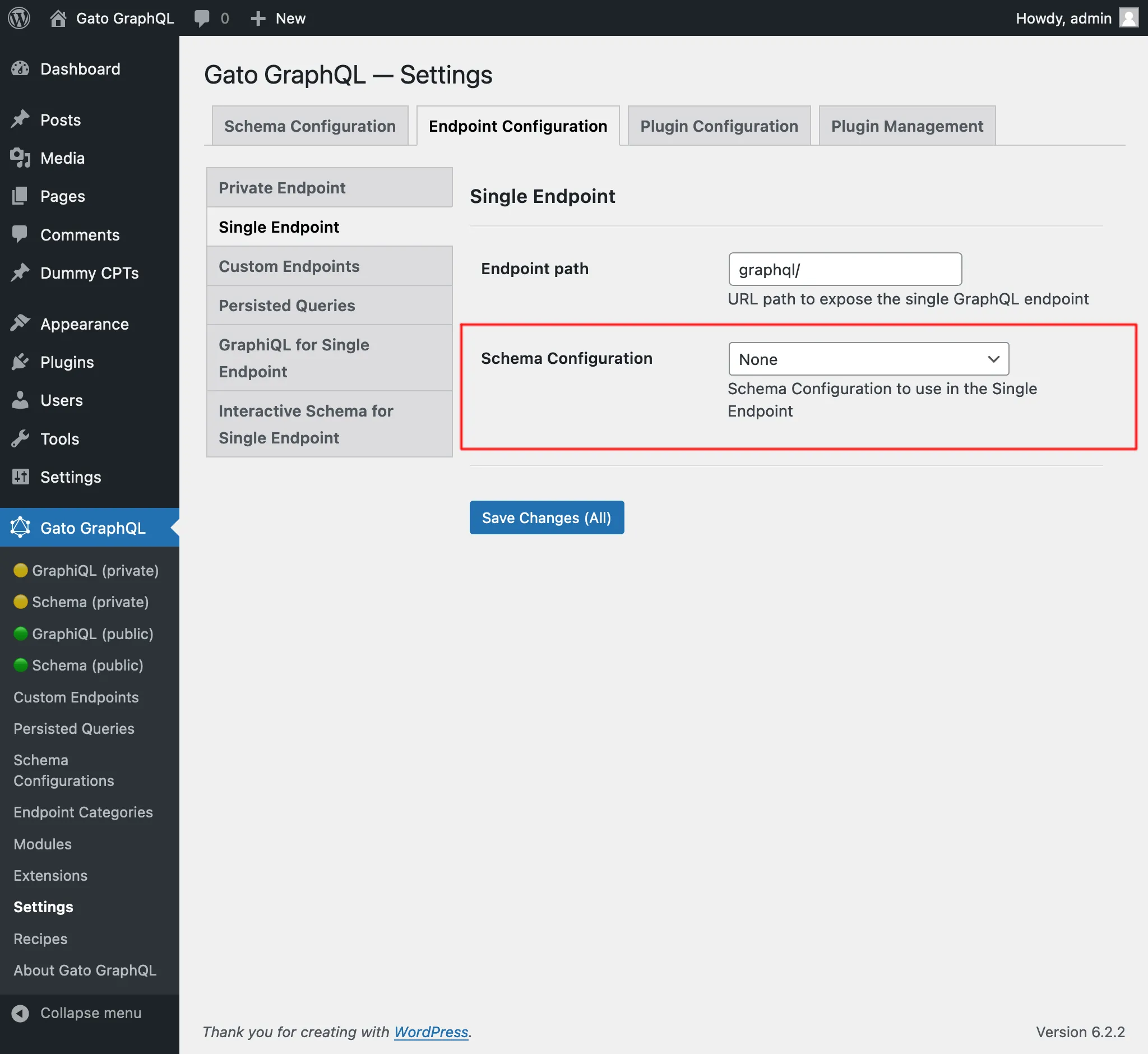\n\n</div>\n\n## Clients\n\nInteract with the single endpoint via the available clients.\n\n### GraphiQL\n\nIf module \"GraphiQL for Single Endpoint\" is enabled, then the single endpoint's GraphiQL client becomes publicly available.\n\nTo open it, click on link \"🟢 GraphiQL (public)\" on the plugin's menu:\n\n<div class=\"img-width-1024\" markdown="1">\n\n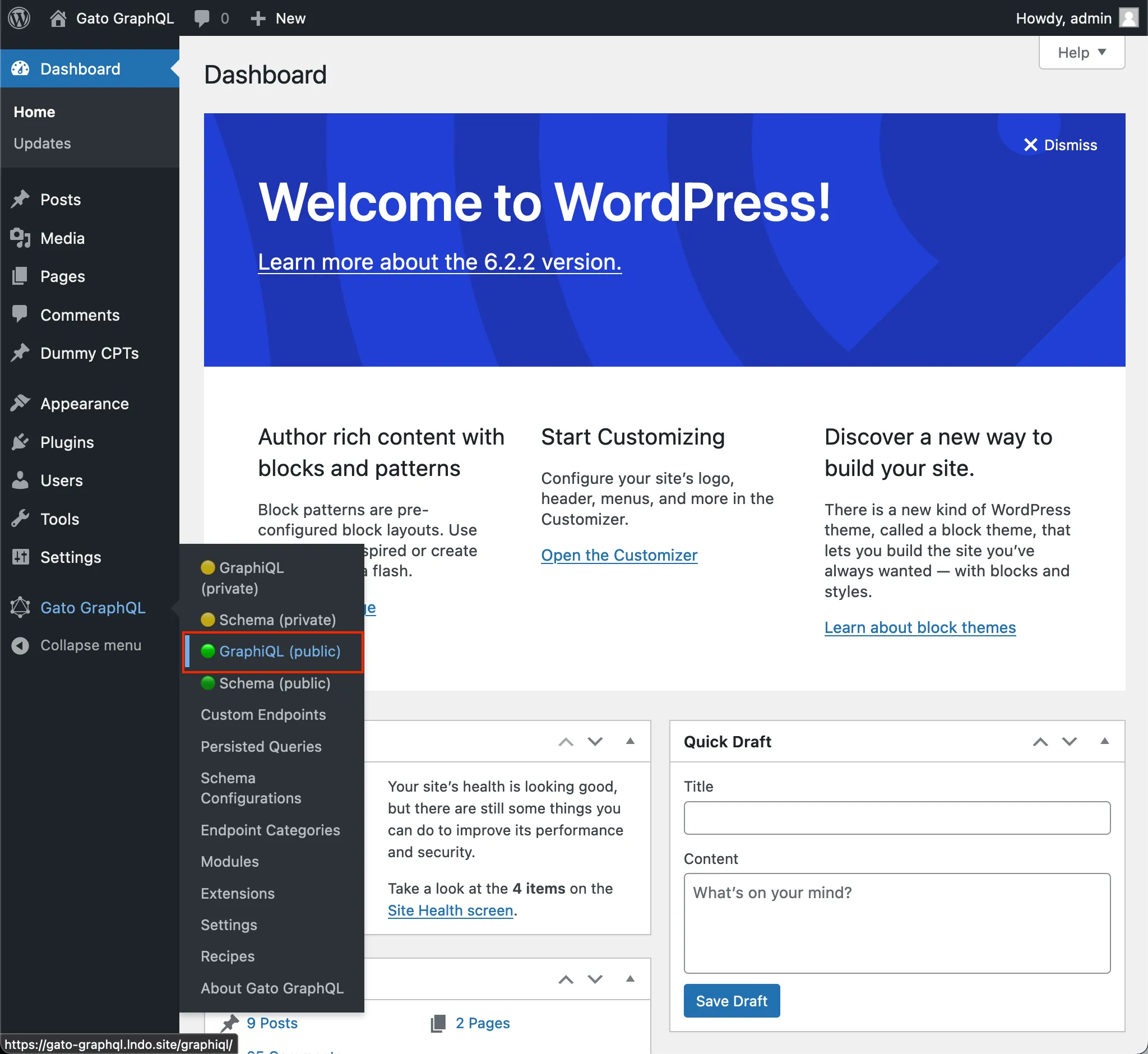\n\n</div>\n\nBy default, the client is exposed under `/graphiql/`. This path can be modified on the Settings, under tab \"GraphiQL for Single Endpoint\":\n\n<div class=\"img-width-1024\" markdown="1">\n\n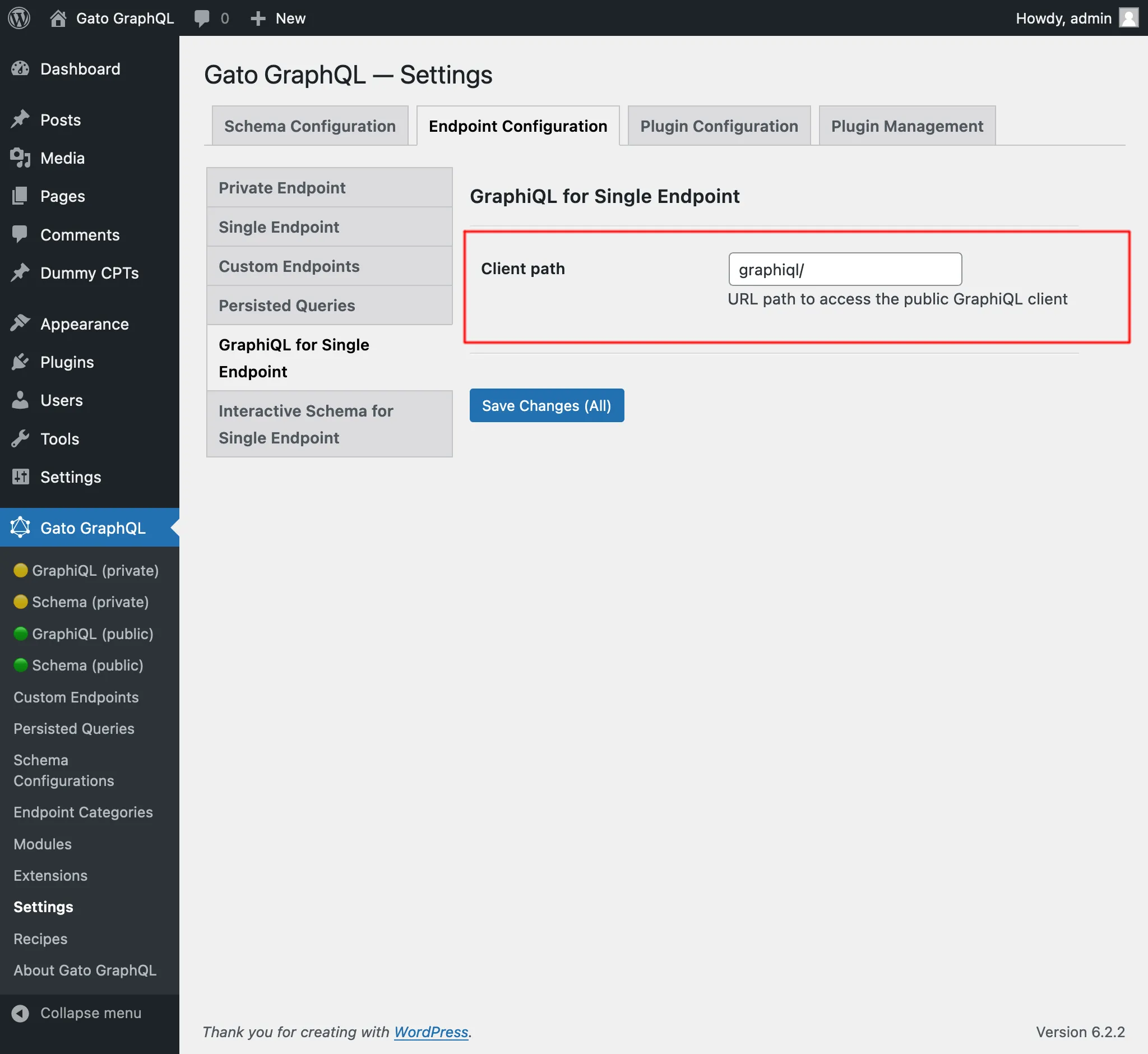\n\n</div>\n\n### Interactive Schema (Voyager)\n\nIf module \"Interactive Schema for Single Endpoint\" is enabled, then the single endpoint's Voyager client becomes publicly available.\n\nTo open it, click on link \"🟢 Schema (public)\" on the plugin's menu:\n\n<div class=\"img-width-1024\" markdown="1">\n\n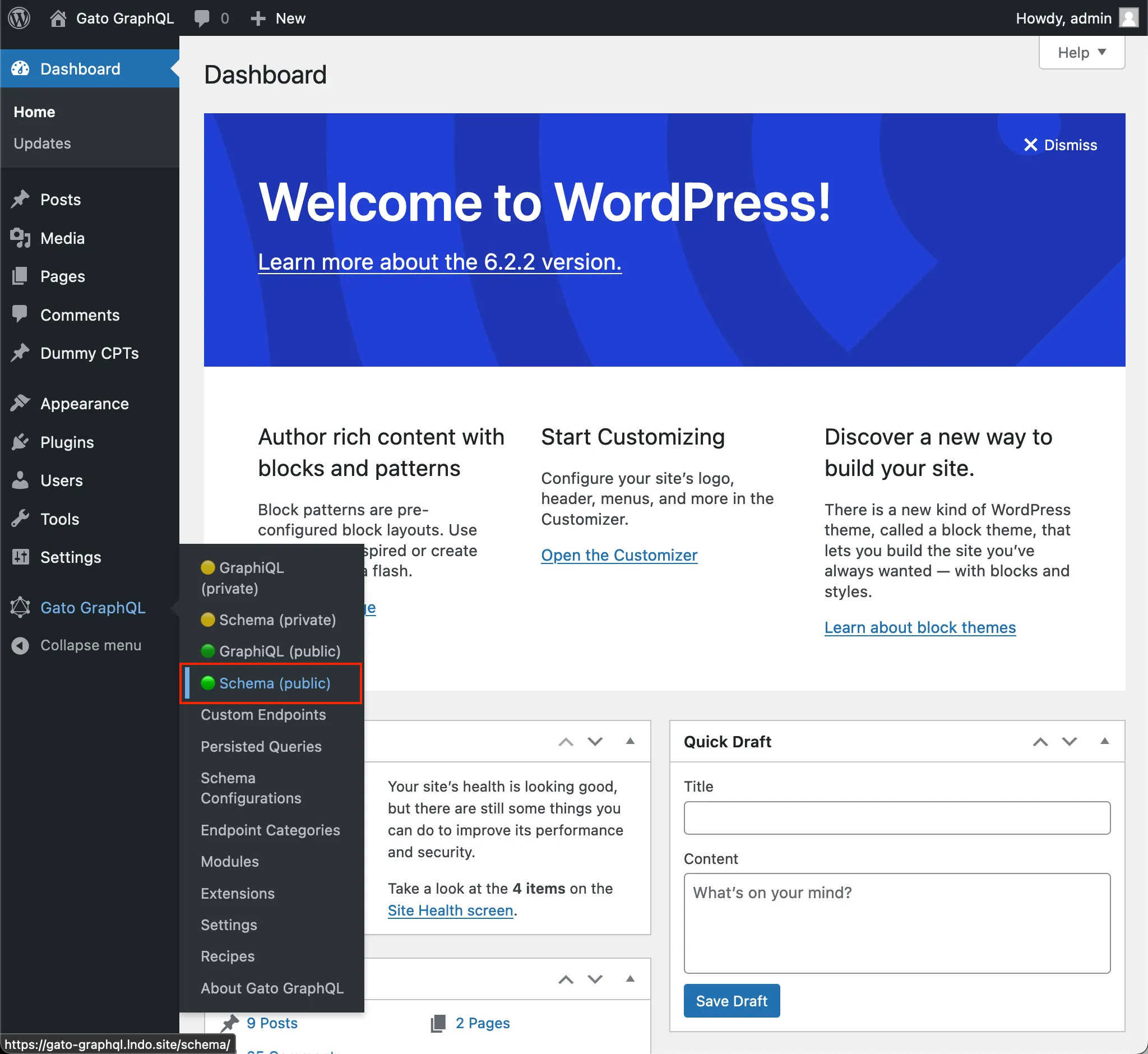\n\n</div>\n\nBy default, the client is exposed under `/schema/`. This path can be modified on the Settings, under tab \"Interactive Schema for Single Endpoint\":\n\n<div class=\"img-width-1024\" markdown="1">\n\n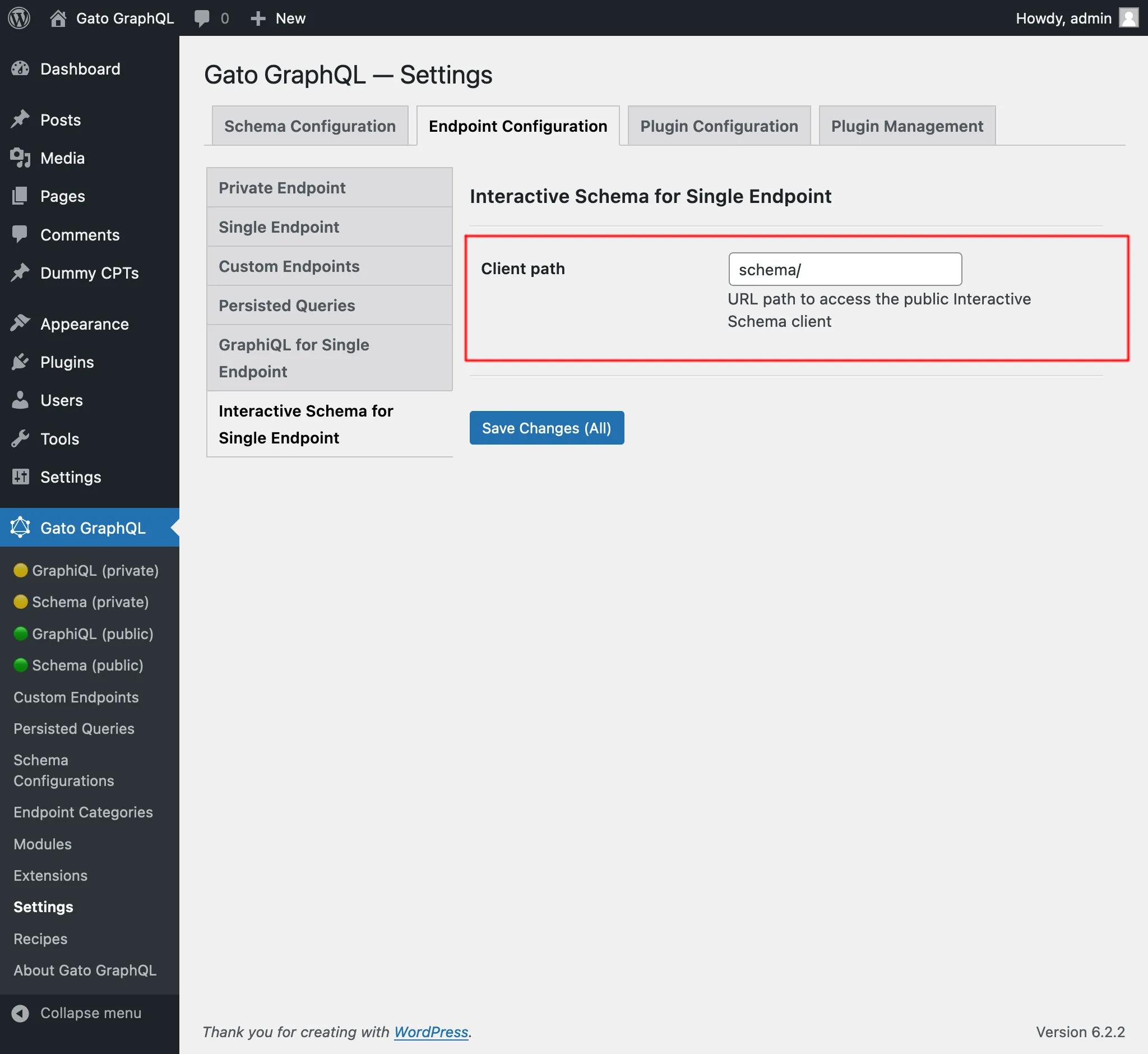\n\n</div>\n",
"translated": "# Punto final único\n\nEjecute consultas en el servidor GraphQL a través del punto final único público.\n\nDe forma predeterminada, el punto final es `/graphql/` y la ruta se puede configurar a través de Configuración.\n\n\n\nEl punto final único GraphQL se puede configurar asignándole una configuración de esquema. Para hacer esto, en la sección \"Configuración del esquema\", seleccione la entrada deseada del menú desplegable para \"Configuración del esquema para el punto final único\":\n\n<div class=\"img-width-1024\" descuento=1>\n\n\n\n</div>\n\n## Clientes\n\nInteractúe con el punto final único a través de los clientes disponibles.\n\n### GrafiQL\n\nSi el módulo \"GraphiQL para punto final único\" está habilitado, el cliente GraphiQL del punto final único estará disponible públicamente.\n\nPara abrirlo, haga clic en el enlace \"🟢 GraphiQL (público)\" en el menú del complemento:\n\n<div class=\"img-width-1024\" descuento=1>\n\n\n\n</div>\n\nDe forma predeterminada, el cliente está expuesto en `/graphiql/`. Esta ruta se puede modificar en Configuración, en la pestaña \"GraphiQL para punto final único\":\n\n<div class=\"img-width-1024\" descuento=1>\n\n\n\n</div>\n\n### Esquema interactivo (Voyager)\n\nSi el módulo \"Esquema interactivo para punto final único\" está habilitado, el cliente Voyager del punto final único estará disponible públicamente.\n\nPara abrirlo, haga clic en el enlace \"🟢 Esquema (público)\" en el menú del complemento:\n\n<div class=\"img-width-1024\" descuento=1>\n\n\n\n</div>\n\nDe forma predeterminada, el cliente está expuesto en `/schema/`. Esta ruta se puede modificar en Configuración, en la pestaña \"Esquema interactivo para punto final único\":\n\n<div class=\"img-width-1024\" descuento=1>\n\n\n\n</div>\n"
}
}
}Nó cũng đã được thêm vào phần Recipes, dưới mục "Translating content from URL".
Dịch bài viết (trình soạn thảo cổ điển) và Dịch các bài viết (trình soạn thảo cổ điển)
Trước đây đã có các persisted queries "Translate post" và "Translate posts" (theo lô), xử lý việc dịch tất cả các thuộc tính bên trong các khối Gutenberg của bài viết.
Những queries này đã được đổi tên thành "Translate post (Gutenberg)" và "Translate posts (Gutenberg)", và các persisted queries mới đã được thêm để dịch nội dung cho trình soạn thảo cổ điển:
- Translate post (Classic editor): Dịch một bài viết đơn lẻ
- Translate posts (Classic editor): Dịch nhiều bài viết, theo lô
Tất cả các queries này dịch nội dung bằng cách gọi API Google Translate, gửi tất cả dữ liệu trong một yêu cầu duy nhất.
Vì vậy, nếu dùng query "Translate posts (Classic editor)" để dịch 5 bài viết, tất cả dữ liệu (tiêu đề, nội dung và trích đoạn) của 5 bài viết được gửi cùng một lúc, cung cấp ngữ cảnh phong phú giúp tạo ra độ chính xác cao hơn trong bản dịch.
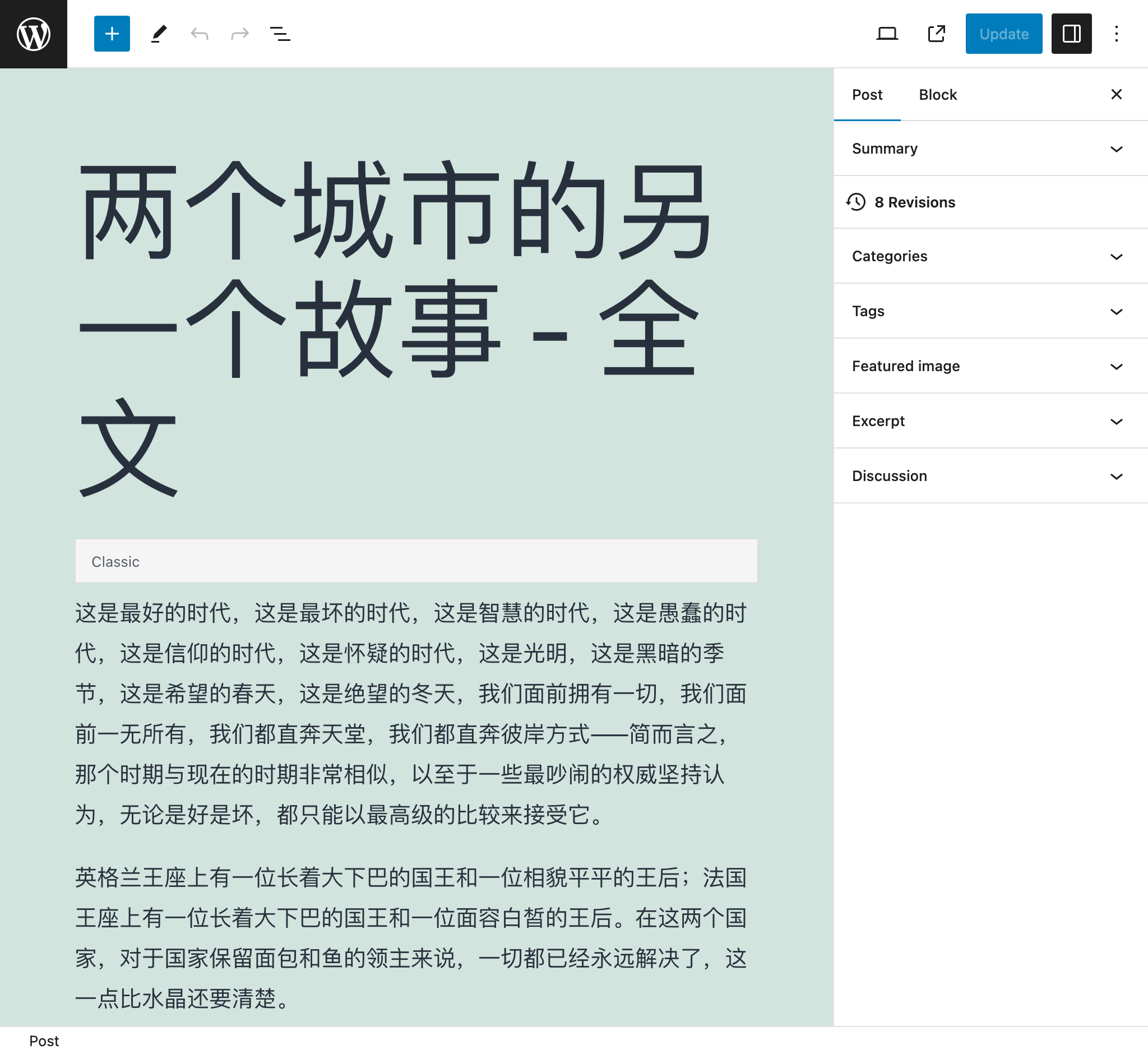
Ví dụ, sau khi dịch bài viết này từ tiếng Anh sang tiếng Trung:
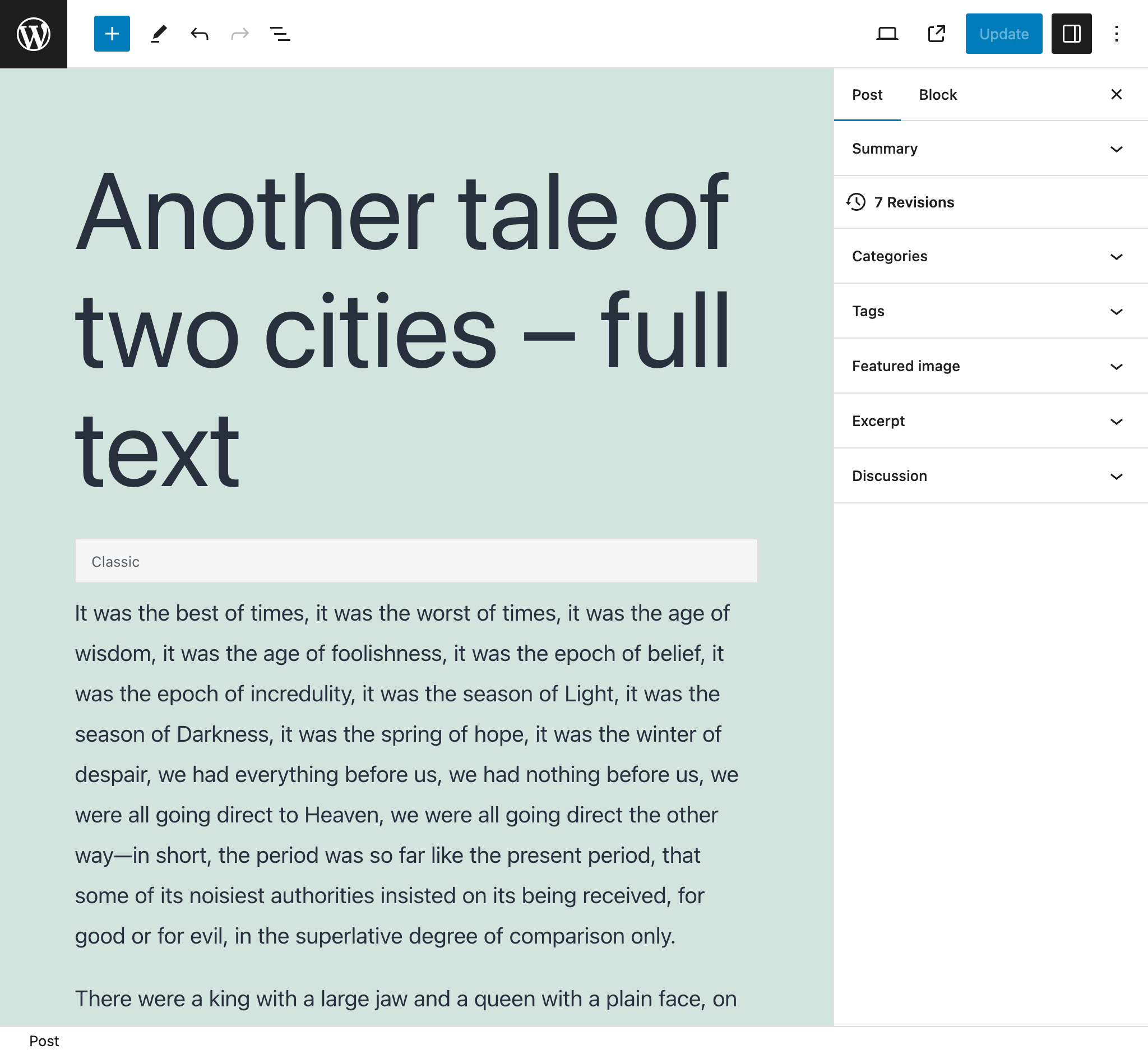
...nó đã trở thành:
Nhập bài viết từ RSS feed của WordPress
Trỏ đến RSS feed của WordPress cho một bài viết và tạo một bài viết mới với dữ liệu của nó.
Ví dụ, query sẽ phân tích RSS feed sau đây cho một bài viết đơn lẻ (thường có thể truy cập tại https://mysite.com/post-slug/feed/rss/?withoutcomments=1):
<?xml version="1.0" encoding="UTF-8"?>
<rss version="2.0"
xmlns:content="http://purl.org/rss/1.0/modules/content/"
xmlns:wfw="http://wellformedweb.org/CommentAPI/"
xmlns:dc="http://purl.org/dc/elements/1.1/"
xmlns:atom="http://www.w3.org/2005/Atom"
xmlns:sy="http://purl.org/rss/1.0/modules/syndication/"
xmlns:slash="http://purl.org/rss/1.0/modules/slash/"
>
<channel>
<title>A tale of two cities – teaser – PoP API Demo</title>
<atom:link href="https://mysite.com/blogroll/a-tale-of-two-cities-teaser/feed/?withoutcomments=1" rel="self" type="application/rss+xml" />
<link>https://mysite.com</link>
<description>Just another WordPress site</description>
<lastBuildDate>Tue, 20 Jul 2021 23:03:59 +0000</lastBuildDate>
<language>en-US</language>
<sy:updatePeriod>hourly</sy:updatePeriod>
<sy:updateFrequency>1 </sy:updateFrequency>
<generator>https://wordpress.org/?v=6.1.1</generator>
<item>
<title>A tale of two cities – teaser</title>
<link>https://mysite.com/blogroll/a-tale-of-two-cities-teaser/</link>
<comments>https://mysite.com/blogroll/a-tale-of-two-cities-teaser/#comments</huong-dan/query/binh-luan>
<dc:creator>leo</dc:creator>
<pubDate>Mon, 21 Dec 2020 08:24:18 +0000</pubDate>
<category>Blogroll</category>
<category>championship</category>
<category>book</category>
<guid isPermaLink="false">https://mysite.com/?p=1657</guid>
<description></description>
<content:encoded>
<p>It was the best of times, it was the worst of times, it was the age of wisdom, it was the age of foolishness, it was the epoch of belief, it was the epoch of incredulity, it was the season of Light, it was the season of Darkness, it was the spring of hope, it was the winter of despair, we had everything before us, we had nothing before us, we were all going direct to Heaven, we were all going direct the other way—in short, the period was so far like the present period, that some of its noisiest authorities insisted on its being received, for good or for evil, in the superlative degree of comparison only.</p>
</content:encoded>
<wfw:commentRss>https://mysite.com/blogroll/a-tale-of-two-cities-teaser/feed/</wfw:commentRss>
<slash:comments>45</slash:comments>
</item>
</channel>
</rss>Nhập bài viết từ CSV
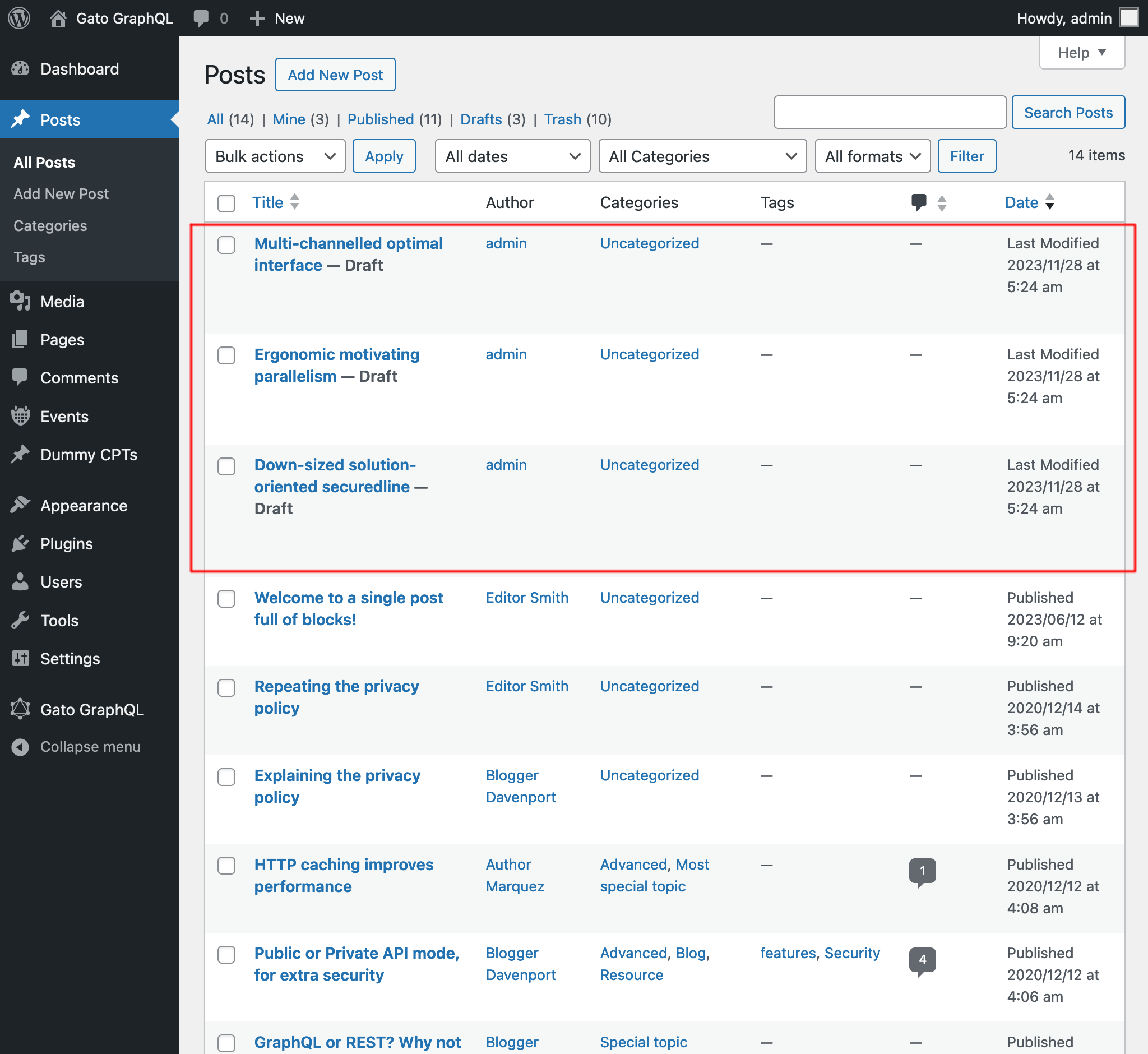
Cung cấp một CSV để tạo các bài viết với dữ liệu tương ứng cho mỗi mục (tiêu đề, trích đoạn, nội dung và tác giả).
Ví dụ, CSV dưới đây sẽ tạo 3 bài viết:
Title,Excerpt,Content,Author
Multi-channelled optimal interface,Inventore iste velit et expedita ipsa dolor,"<!-- wp:paragraph -->
<p>Inventore iste velit et expedita ipsa dolor. Optio suscipit qui id harum corporis dignissimos.</p>
<!-- /wp:paragraph -->",admin
Ergonomic motivating parallelism,Consequuntur velit quasi assumenda,"<!-- wp:paragraph -->
<p>Consequuntur velit quasi assumenda. Eum non saepe est. Ut dolorem harum eveniet eaque nemo impedit. Voluptatem commodi modi sed sed animi voluptatem.</p>
<!-- /wp:paragraph -->
<!-- wp:image {""id"":5,""sizeSlug"":""large""} -->
<figure class=""wp-block-image size-large""><img src=""https://mysite.com/wp-content/uploads/2023/09/wordpress0.jpg"" alt="""" class=""wp-image-5""/></figure>
<!-- /wp:image -->
<!-- wp:image {""id"":7,""sizeSlug"":""large""} -->
<figure class=""wp-block-image size-large""><img src=""https://mysite.com/wp-content/uploads/2023/09/wordpress2.jpg"" alt="""" class=""wp-image-7""/></figure>
<!-- /wp:image -->",admin
Down-sized solution-oriented securedline,Ipsam minima qui asperiores dolorum unde voluptas quia voluptate,"<!-- wp:paragraph -->
<p>Ipsam minima qui asperiores dolorum unde voluptas quia voluptate. Incidunt omnis cumque beatae quo deleniti ex. Praesentium nihil et consectetur neque commodi tempora ipsa adipisci. Praesentium perferendis sint est.</p>
<!-- /wp:paragraph -->
<!-- wp:paragraph -->
<p>Et aut fuga aliquam consequuntur dolore sunt ut ut. Quibusdam in voluptas vitae quia eaque. Eligendi dolorum dolorem vitae et vitae et ut.</p>
<!-- /wp:paragraph -->",admin
Sau khi thực thi query, chúng ta nhận được kết quả:
Lấy các liên kết trong bài viết
Tìm tất cả các liên kết trong tất cả bài viết (bằng cách tìm kiếm tất cả các chuỗi <a href="(...)">(...)</a>), và liệt kê chúng trong phản hồi dưới dạng đối tượng JSON với các thuộc tính { href: (...), text: (...) }.
Ví dụ, nó có thể tạo ra phản hồi này:
{
"data": {
"posts": [
{
"id": 1435,
"title": "Citations from famous authors",
"links": [
{
"href": "https://www.azquotes.com/author/4085-Fyodor_Dostoevsky",
"text": "Quote by Fyodor Dostoevsky"
},
{
"href": "https://www.azquotes.com/author/14706-Leo_Tolstoy",
"text": "Quote by Leon Tolstoi"
},
{
"href": "https://www.azquotes.com/author/15138-Voltaire",
"text": "Quote by Voltaire"
}
]
},
{
"id": 1,
"title": "Hello world!",
"links": []
}
]
}
}Thêm kiểu scalar XML
Giờ đây chúng ta có thể nhập chuỗi XML thông qua kiểu scalar XML mới, sẽ xác thực tính đúng đắn của chuỗi XML.
Ví dụ, query này:
{
_strDecodeXMLAsJSON(xml: """<?xml version="1.0" encoding="UTF-8"?>
<body>
<message>Hello world!</message>
</body>
""")
}...sẽ tạo ra:
{
"data": {
"_strDecodeXMLAsJSON": {
"message": "Hello world!"
}
}
}Trong khi query này:
{
_strDecodeXMLAsJSON(xml: """<?xml version="1.0" encoding="UTF-8"?>
<body>
<message>Hello world!</message>
""")
}...sẽ tạo ra:
{
"errors": [
{
"message": "Cannot cast value '<?xml version=\"1.0\" encoding=\"UTF-8\"?>\n <body>\n <message>Hello world!<\/message>\n ' for type 'XML'",
"locations": [
{
"line": 2,
"column": 31
}
],
"extensions": {
"field": "_strDecodeXMLAsJSON(xml: \"<?xml version=\"1.0\" encoding=\"UTF-8\"?>\n <body>\n <message>Hello world!<\/message>\n \")",
"problems": [
"Premature end of data in tag body line 2\n"
]
}
}
],
"data": {
"_strDecodeXMLAsJSON": null
}
}Cải thiện tài liệu
- Thêm tài liệu cho các trường mới từ extension Helper Function Collection:
_strDecodeXMLAsJSON_strParseCSV
Đã sửa
- Trong các persisted queries được định sẵn "Translate post" và "Translate posts", thêm
failIfNonExistingKeyOrPath: falsekhi chọn thuộc tínhattributes.{something}của một khối (vì đôi khi nó có thể không được định nghĩa) - Trong persisted query được định sẵn "Import post from WordPress site", thêm trạng thái
anyđể chọn bài viết - Đổi tên persisted query "Translate post" thành "Translate post (Gutenberg)", và "Translate posts" thành "Translate posts (Gutenberg)"