

Xử lý payload của mutation
Các trường mutation có thể được cấu hình để trả về một trong 2 kiểu thực thể khác nhau:
- Một kiểu đối tượng payload
- Trực tiếp thực thể đã được biến đổi
Kiểu đối tượng payload
Một kiểu đối tượng payload chứa tất cả dữ liệu liên quan đến mutation:
- Trạng thái của mutation (thành công hay thất bại)
- Các lỗi (nếu có) sử dụng các kiểu GraphQL riêng biệt, hoặc
- Thực thể đã được biến đổi thành công
Ví dụ, mutation updatePost trả về một đối tượng kiểu PostUpdateMutationPayload, và chúng ta vẫn cần truy vấn trường post của nó để lấy thực thể bài viết đã được cập nhật:
mutation UpdatePost {
updatePost(input: {
id: 1724,
title: "New title",
status: publish
}) {
# This is the status of the mutation: SUCCESS or FAILURE
status
errors {
__typename
...on ErrorPayload {
message
}
}
post {
id
title
# This is the status of the post: publish, pending, trash, etc
status
}
}
}Đối tượng payload cho phép chúng ta biểu diễn các lỗi tốt hơn, thậm chí có một kiểu GraphQL duy nhất cho từng loại lỗi. Điều này cho phép chúng ta trình bày các phản ứng khác nhau cho các lỗi khác nhau trong ứng dụng, qua đó cải thiện trải nghiệm người dùng.
Trong ví dụ trên, nếu thao tác thành công, chúng ta sẽ nhận được:
{
"data": {
"updatePost": {
"status": "SUCCESS",
"errors": null,
"post": {
"id": 1724,
"title": "Some title",
"status": "publish"
}
}
}
}Nếu người dùng chưa đăng nhập, chúng ta sẽ nhận được:
{
"data": {
"updatePost": {
"status": "FAILURE",
"errors": [
{
"__typename": "UserIsNotLoggedInErrorPayload",
"message": "You must be logged in to create or update custom posts"
}
],
"post": null
}
}
}Nếu người dùng không có quyền chỉnh sửa bài viết, chúng ta sẽ nhận được:
{
"data": {
"updatePost": {
"status": "FAILURE",
"errors": [
{
"__typename": "LoggedInUserHasNoEditingCustomPostCapabilityErrorPayload",
"message": "Your user doesn't have permission for editing custom posts."
}
],
"post": null
}
}
}Ở chế độ này, schema GraphQL sẽ chứa nhiều kiểu bổ sung MutationPayload, MutationErrorPayloadUnion và ErrorPayload, do đó nó sẽ có kích thước lớn hơn:
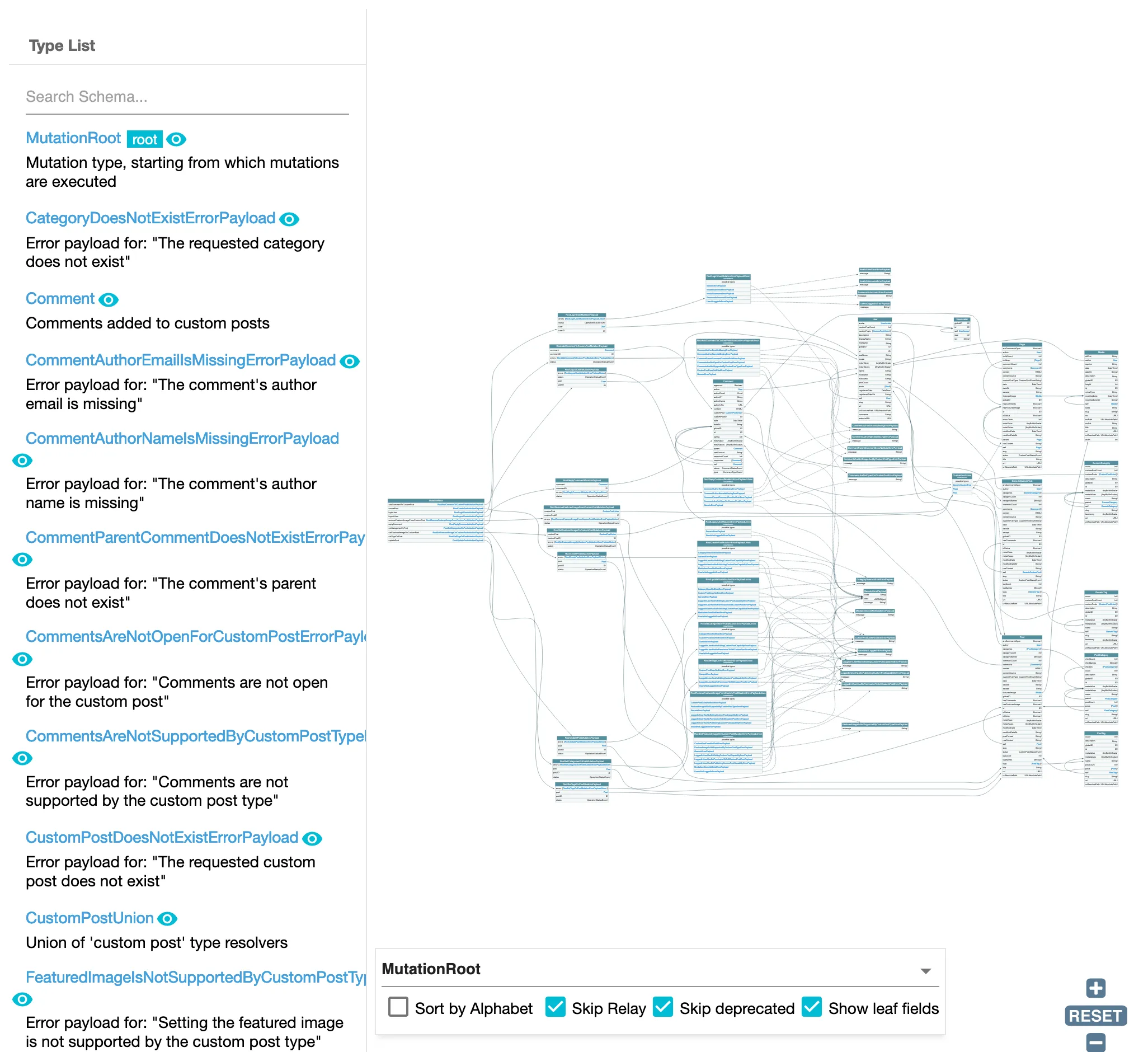
Truy vấn các đối tượng payload của mutation
Mỗi mutation trong schema có một trường tương ứng để truy vấn các đối tượng payload vừa được tạo, với tên {mutationName}MutationPayloadObjects.
Các trường này bao gồm:
addCommentToCustomPostMutationPayloadObjects(choaddCommentToCustomPost)createCustomPostMutationPayloadObjects(chocreateCustomPost)createMediaItemMutationPayloadObjects(chocreateMediaItem)createPageMutationPayloadObjects(chocreatePage)createPostMutationPayloadObjects(chocreatePost)removeFeaturedImageFromCustomPostMutationPayloadObjects(choremoveFeaturedImageFromCustomPost)replyCommentMutationPayloadObjects(choreplyComment)setCategoriesOnPostMutationPayloadObjects(chosetCategoriesOnPost)setFeaturedImageOnCustomPostMutationPayloadObjects(chosetFeaturedImageOnCustomPost)setTagsOnPostMutationPayloadObjects(chosetTagsOnPost)updateCustomPostMutationPayloadObjects(choupdateCustomPost)updatePageMutationPayloadObjects(choupdatePage)updatePostMutationPayloadObjects(choupdatePost)
Các trường này cho phép chúng ta lấy kết quả của các mutation được thực thi bằng @applyField trong khi duyệt qua các phần tử trong một mảng.
Ví dụ, truy vấn sau đây nhân bản bài viết theo loạt:
query GetPostsAndExportData
{
postsToDuplicate: posts {
title
rawContent
excerpt
# Already create (and export) the inputs for the mutation
postInput: _echo(value: {
title: $__title
contentAs: {
html: $__rawContent
},
excerpt: $__excerpt
})
@export(as: "postInput", type: LIST)
@remove
}
}
mutation CreatePosts
@depends(on: "GetPostsAndExportData")
{
createdPostMutationPayloadObjectIDs: _echo(value: $postInput)
@underEachArrayItem(
passValueOnwardsAs: "input"
)
@applyField(
name: "createPost"
arguments: {
input: $input
},
setResultInResponse: true
)
@export(as: "createdPostMutationPayloadObjectIDs")
}
query DuplicatePosts
@depends(on: "CreatePosts")
{
createdPostMutationObjectPayloads: createPostMutationPayloadObjects(input: {
ids: $createdPostMutationPayloadObjectIDs
}) {
status
errors {
__typename
...on ErrorPayload {
message
}
}
post {
id
title
rawContent
excerpt
}
}
}Theo mặc định, các trường này không được thêm vào schema GraphQL. Để làm điều đó, chúng ta phải chọn tùy chọn "Use payload types for mutations, and add fields to query those payload objects".
Thực thể đã biến đổi
Mutation sẽ trả về trực tiếp thực thể đã biến đổi trong trường hợp thành công, hoặc null trong trường hợp thất bại, và bất kỳ thông báo lỗi nào sẽ được hiển thị trong mục errors ở cấp cao nhất của phản hồi JSON.
Ví dụ, mutation updatePost sẽ trả về đối tượng kiểu Post:
mutation UpdatePost {
updatePost(input: {
id: 1724,
title: "New title",
status: publish
}) {
id
title
status
}
}Nếu thao tác thành công, chúng ta sẽ nhận được:
{
"data": {
"updatePost": {
"id": 1724,
"title": "Some title",
"status": "publish"
}
}
}Trong trường hợp có lỗi, chúng sẽ xuất hiện dưới mục errors của phản hồi. Ví dụ, nếu người dùng chưa đăng nhập, chúng ta sẽ nhận được:
{
"errors": [
{
"message": "You must be logged in to create or update custom posts'",
"locations": [
{
"line": 2,
"column": 3
}
]
}
],
"data": {
"updatePost": null
}
}Chúng ta cần lưu ý rằng, kết quả là, mục errors ở cấp cao nhất sẽ chứa không chỉ các lỗi cú pháp, lỗi xác thực schema và lỗi logic (ví dụ: không truyền tên đối số của trường, yêu cầu trường không tồn tại, hoặc gọi _sendHTTPRequest khi mạng bị ngắt tương ứng), mà còn cả các lỗi "xác thực nội dung" (ví dụ: "bạn không được phép chỉnh sửa bài viết này").
Vì không có thêm kiểu nào được bổ sung, schema GraphQL sẽ trông gọn gàng hơn:
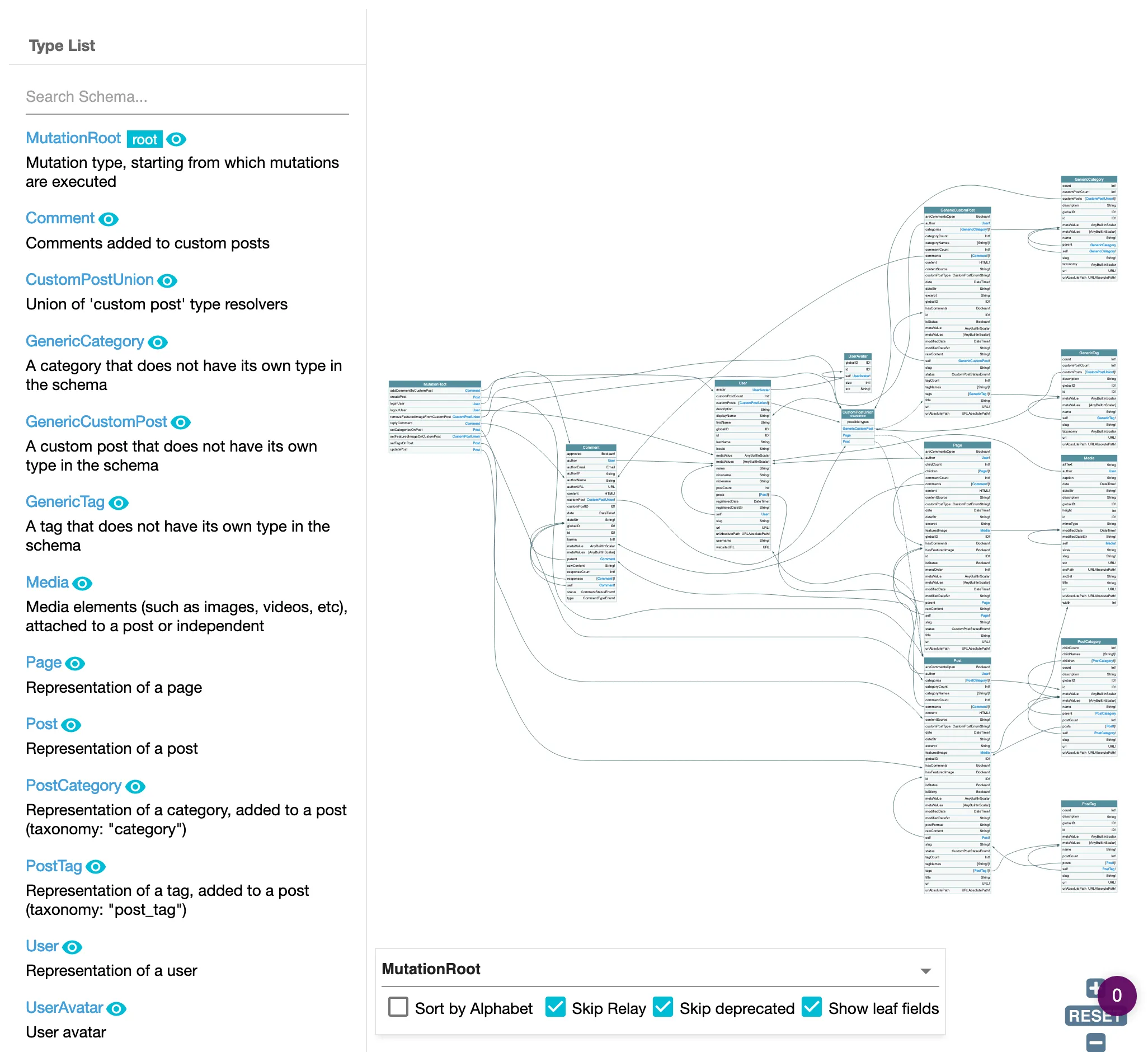
Xử lý kiểu đối tượng payload cho mutation
Hãy xem cách xử lý tùy chọn đầu tiên, kiểu đối tượng payload.
Các mutation trong schema trả về một đối tượng payload, cung cấp bất kỳ lỗi nào phát sinh từ mutation, hoặc đối tượng đã được chỉnh sửa nếu thành công (2 thuộc tính này thường loại trừ lẫn nhau: hoặc errors hoặc object sẽ có giá trị, và cái còn lại sẽ là null).
Các lỗi được cung cấp thông qua một kiểu "ErrorPayloadUnion", chứa tất cả các lỗi có thể xảy ra cho mutation đó. Mỗi lỗi có thể xảy ra là một kiểu "ErrorPayload" triển khai interface ErrorPayload.
Ví dụ, thao tác updatePost trả về một PostUpdateMutationPayload, chứa các trường sau:
status: liệu thao tác có thành công hay không, với giá trịSUCCESShoặcFAILUREpostvàpostID: đối tượng bài viết đã cập nhật và ID của nó, nếu việc cập nhật thành côngerrors: danh sáchCustomPostUpdateMutationErrorPayloadUnion, nếu việc cập nhật thất bại.
Kiểu union CustomPostUpdateMutationErrorPayloadUnion chứa danh sách tất cả các lỗi có thể xảy ra khi chỉnh sửa một custom post:
CustomPostDoesNotExistErrorPayloadGenericErrorPayloadLoggedInUserHasNoEditingCustomPostCapabilityErrorPayloadLoggedInUserHasNoPermissionToEditCustomPostErrorPayloadLoggedInUserHasNoPublishingCustomPostCapabilityErrorPayloadUserIsNotLoggedInErrorPayload
Kiểu lỗi GenericErrorPayload được chứa trong tất cả các kiểu "ErrorPayloadUnion". Nó được sử dụng khi không thể xác định được lý do cụ thể của lỗi, chẳng hạn khi wp_update_post chỉ đơn giản tạo ra WP_Error. Kiểu này cung cấp hai trường bổ sung: code và data.
Sau đó, để thực thi mutation updatePost, chúng ta có thể thực thi:
mutation UpdatePost(
$postId: ID!
$title: String!
) {
updatePost(
input: {
id: $postId,
title: $title,
}
) {
status
errors {
__typename
...on ErrorPayload {
message
}
...on GenericErrorPayload {
code
}
}
post {
id
title
}
}
}Nếu thao tác thành công, chúng ta sẽ nhận được:
{
"data": {
"updatePost": {
"status": "SUCCESS",
"errors": null,
"post": {
"id": 1724,
"title": "This incredible title"
}
}
}
}Nếu người dùng chưa đăng nhập, chúng ta sẽ nhận được:
{
"data": {
"updatePost": {
"status": "FAILURE",
"errors": [
{
"__typename": "UserIsNotLoggedInErrorPayload",
"message": "You must be logged in to create or update custom posts"
}
],
"post": null
}
}
}Nếu người dùng không có quyền chỉnh sửa bài viết, chúng ta sẽ nhận được:
{
"data": {
"updatePost": {
"status": "FAILURE",
"errors": [
{
"__typename": "LoggedInUserHasNoEditingCustomPostCapabilityErrorPayload",
"message": "Your user doesn't have permission for editing custom posts."
}
],
"post": null
}
}
}