

Advanced Custom Fields (ACF)
Sử dụng các trường meta, kết hợp với các tính năng do các tiện ích mở rộng PRO cung cấp, chúng ta có thể truy xuất và thay đổi các trường tùy chỉnh từ plugin Advanced Custom Fields (ACF).
Dưới đây là các queries minh họa cách lấy và thay đổi các trường tùy chỉnh, cho tất cả các loại trường được ACF hỗ trợ:
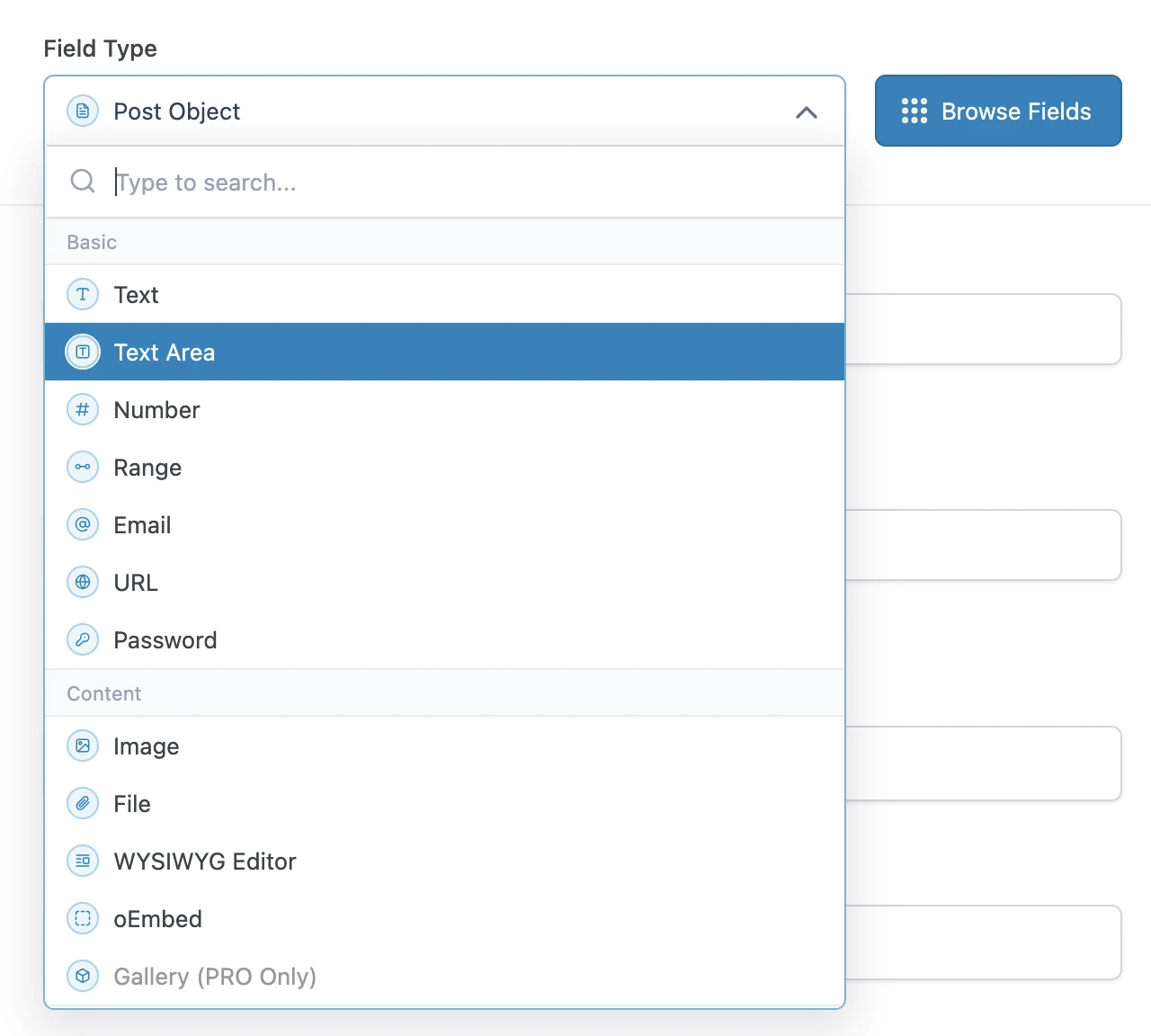
Truy vấn các loại trường cơ bản
Các loại trường cơ bản của ACF có thể được truy vấn trực tiếp, sử dụng trường metaValue:
query GetPost {
post(by: { id: 1 }) {
text: metaValue(key: "text_field")
textarea: metaValue(key: "textarea_field")
number: metaValue(key: "number_field")
range: metaValue(key: "range_field")
email: metaValue(key: "email_field")
url: metaValue(key: "url_field")
password: metaValue(key: "password_field")
}
}Truy vấn các loại trường nội dung
Nếu trường tùy chỉnh là một quan hệ (ví dụ: một hình ảnh hoặc một tệp), chúng ta có thể xuất (các) ID từ các trường meta, rồi ngay sau đó truy vấn các thực thể đó (thuộc loại Media) trong một query tiếp theo.
Ngược lại, đó là loại trường đơn giản và chúng ta có thể truy vấn trực tiếp bằng metaValue:
query GetPostDataAndExportRelationships {
post(by: { id: 1 }) {
# Image field type
imageId: metaValue(key: "image_field")
@export(as: "imageId")
# File field type
fileId: metaValue(key: "file_field")
@export(as: "fileId")
# WYSIWYG editor field type
wysiwyg_editor: metaValue(key: "wysiwyg_editor_field")
# Oembed field type
oembed: metaValue(key: "oembed_field")
}
}
query QueryPostRelationships
@depends(on: "GetPostDataAndExportRelationships")
{
# Query the image
relationshipImage: mediaItem(by: { id: $imageId }) {
id
src
}
# Query the file
relationshipFile: mediaItem(by: { id: $fileId }) {
id
src
}
}Truy vấn các loại trường lựa chọn
Các loại trường lựa chọn có thể được truy vấn như loại trường đơn giản, sử dụng metaValue.
ACF lưu trữ các mảng giá trị trong một mục duy nhất, được mã hóa dưới dạng chuỗi JSON, vì vậy chúng ta phải sử dụng trường metaValue (thay vì metaValues) để lấy mảng.
Đối với các giá trị boolean, chúng ta sử dụng trường _equals để chuyển đổi từ String sang Boolean:
query GetPost {
post(by: { id: 1 }) {
# Select field type - Whether a single or multiple values, we always use `metaValue`
select: metaValue(key: "select_field")
multiSelect: metaValue(key: "multi_select_field")
# Checkbox field type
checkbox: metaValue(key: "checkbox_field")
# Radio button field type
radioButton: metaValue(key: "radio_button_field")
# Button group field type
buttonGroup: metaValue(key: "button_group_field")
# True/False field type
trueFalseAsString: metaValue(key: "true_false_field")
trueFalse: _equals(value1: $__trueFalseAsString, value2: "1")
}
}Truy vấn các loại trường quan hệ
Nếu trường tùy chỉnh là một quan hệ (ví dụ: một bài viết, một người dùng, một phân loại, v.v.), chúng ta có thể xuất các ID từ các trường meta, rồi ngay sau đó truy vấn các thực thể đó (thuộc loại Post, User, Taxonomy, v.v.) trong một query tiếp theo.
Ngược lại, đó là loại trường đơn giản và chúng ta có thể truy vấn trực tiếp bằng metaValue:
query GetPostDataAndExportRelationships {
post(by: { id: 1 }) {
link: metaValue(key: "link_field")
# Post Object field type
post_object: metaValue(key: "post_object_field")
@export(as: "post_object_id")
# Multiple Post Object field type
post_objects: metaValue(key: "post_objects_field")
@export(as: "post_object_ids")
# Page Link field type
page_link: metaValue(key: "page_link_field")
@export(as: "page_link_id")
# Multiple Page Link field type
page_links: metaValue(key: "page_links_field")
@export(as: "page_link_ids")
# Relationship field type
relationships: metaValue(key: "relationship_field")
@export(as: "relationship_ids")
# Taxonomy field type
categoryTaxonomy: metaValue(key: "category_taxonomy_field")
@export(as: "category_taxonomy_ids")
tagTaxonomy: metaValue(key: "tag_taxonomy_field")
@export(as: "tag_taxonomy_ids")
# User field type
user: metaValue(key: "user_field")
@export(as: "user_id")
# Multiple User field type
users: metaValue(key: "users_field")
@export(as: "user_ids")
}
}
query QueryPostRelationships
@depends(on: "GetPostDataAndExportRelationships")
{
# Query the post
postObject: customPost(by: { id: $post_object_id }, status: any) {
id
title
}
# Query the list of posts
postObjects: customPosts(filter: { ids: $post_object_ids, status: any }, pagination: { limit: -1 }) {
id
title
}
# Query the page
pageLink: page(by: { id: $page_link_id }, status: any) {
id
title
}
# Query the list of pages
pageLinks: pages(filter: { ids: $page_link_ids, status: any }, pagination: { limit: -1 }) {
id
title
}
# Query the relationship post
relationships: customPosts(filter: { ids: $relationship_ids, status: any }, pagination: { limit: -1 }) {
id
title
}
# Query the list of categories
categoryTaxonomy: categories(filter: { ids: $category_taxonomy_ids }, taxonomy: "category") {
id
name
}
# Query the list of tags
tagTaxonomy: tags(filter: { ids: $tag_taxonomy_ids }, taxonomy: "post_tag") {
id
name
}
# Query the user
user: user(by: { id: $user_id }) {
id
name
}
# Query the list of users
users: users(filter: { ids: $user_ids }, pagination: { limit: -1 }) {
id
name
}
}Chúng ta cũng có thể truy vấn tất cả các quan hệ cho nhiều bài viết, chỉ lấy mỗi quan hệ một lần (ngay cả khi chúng được chia sẻ giữa các bài viết):
query GetPostDataAndExportRelationships
@configureWarningsOnExportingDuplicateVariable(enabled: false)
{
# Multiple posts
posts {
# Post Object field type
post_object: metaValue(key: "post_object_field")
@export(
as: "post_object_id_list",
type: LIST
)
# Multiple Post Object field type
post_objects: metaValue(key: "post_objects_field")
@export(
as: "post_object_ids_list"
type: LIST
)
}
}
query TransformRelationships
@depends(on: "GetPostDataAndExportRelationships")
{
flattenedPostObjectIdsList: _arrayFlatten(array: $post_object_ids_list)
@arrayUnique
@export(as: "post_object_ids_list")
}
query QueryPostRelationships
@depends(on: "TransformRelationships")
{
# Query the post
postObjectList: customPosts(filter: { ids: $post_object_id_list, status: any }, pagination: { limit: -1 }) {
id
title
}
# Query the list of posts
postObjectsList: customPosts(filter: { ids: $post_object_ids_list, status: any }, pagination: { limit: -1 }) {
id
title
}
}Truy vấn các loại trường ngày tháng
Vì một ngày được lưu trữ dưới dạng chuỗi có định dạng "YMD" (ví dụ: "20240320"), chúng ta phải phân tích nó thành một timestamp rồi đưa vào hàm _date.
query GetPost {
post(by: { id: 1 }) {
# Date Picker field
dateAsString: metaValue(key: "date_picker_field")
dateYear: _strSubstr(string: $__dateAsString, offset: 0, length: 4)
dateMonth: _strSubstr(string: $__dateAsString, offset: 4, length: 2)
dateDay: _strSubstr(string: $__dateAsString, offset: 6, length: 2)
dateAsTimestamp: _makeTime(year: $__dateYear, month: $__dateMonth, day: $__dateDay, hour: 0, minute: 0, second: 0)
date: _date(format: "Y-m-d", timestamp: $__dateAsTimestamp)
# Date Time Picker field
dateTime: metaValue(key: "date_time_picker_field")
# Time Picker field
timeAsString: metaValue(key: "time_picker_field")
timeHours: _strSubstr(string: $__timeAsString, offset: 0, length: 2)
timeMinutes: _strSubstr(string: $__timeAsString, offset: 3, length: 2)
timeSeconds: _strSubstr(string: $__timeAsString, offset: 6, length: 2)
googleMap: metaValue(key: "google_map_field")
colorPicker: metaValue(key: "color_picker_field")
}
}Thay đổi bất kỳ loại trường nào
Chúng ta cũng sử dụng các trường meta để thay đổi dữ liệu các trường tùy chỉnh ACF (thêm, cập nhật và xóa các mục).
Query này cập nhật nhiều trường tùy chỉnh ACF bằng cách truyền một đối tượng JSON duy nhất vào mutation updatePost.
Lưu ý rằng JSON chứa các mảng giá trị, ngay cả khi mục đó chỉ là một giá trị đơn.
mutation UpdatePost($postId: ID!) {
updatePost(
input: {
id: $postId
meta: {
text_field: ["New text value"],
textarea_field: ["New textarea value"],
select_field: ["New select value"],
multi_select_field: ["Choice 1", "Choice 2"],
number_field: [42],
date_picker_field: ["20240320"],
}
}
) {
status
errors {
__typename
...on ErrorPayload {
message
}
}
post {
id
text: metaValue(key: "text_field")
textarea: metaValue(key: "textarea_field")
select: metaValue(key: "select_field")
multiSelect: metaValues(key: "multi_select_field")
number: metaValue(key: "number_field")
date: metaValue(key: "date_picker_field")
}
}
}Query này cập nhật các trường tùy chỉnh ACF hàng loạt, sử dụng mutation updateCustomPostMeta:
mutation UpdatePost($postId: ID!) {
updateCustomPostMetas(inputs: [
{ id: $postId, key: "text_field", value: "New text value" },
{ id: $postId, key: "textarea_field", value: "New textarea value" },
{ id: $postId, key: "select_field", value: "New select value" },
{ id: $postId, key: "multi_select_field", value: ["Choice 1", "Choice 2"] },
{ id: $postId, key: "number_field", value: 42 },
{ id: $postId, key: "date_picker_field", value: "20240320" },
]) {
status
errors {
__typename
...on ErrorPayload {
message
}
}
customPost {
__typename
id
text: metaValue(key: "text_field")
textarea: metaValue(key: "textarea_field")
select: metaValue(key: "select_field")
multiSelect: metaValues(key: "multi_select_field")
number: metaValue(key: "number_field")
date: metaValue(key: "date_picker_field")
}
}
}